Obsidian Blogging Pipeline
I’ve been tinkering away at this blogging thing since my last post. I was able to get my site up and running, and visible from the web (Good).
But in order for me to post anything new, I have to manually copy/paste the markdown files from Obsidian to the server’s content directory, and run sudo hugo to transform them into the static site assets. (Bad).
What’s more, any image files must be manually copied over via scp and the markdown edited to point them to the assets directory. (Even worse).
All in all, it’s a massive headache.
The Inspiration#
Readers of the previous blogpost will know that this whole idea was inspired by Network Chuck’s Insane Blogging Pipeline. His MEGA SCRIPT (linked in the blogpost) is not suitable for my needs, however, mainly due to the fact that it deploys to Hostinger rather than my own local server.
There was also a bug with his script that didn’t properly format the image tags from Obsidian into ones that Hugo liked (I think I may be using a newer version of Obsidian than he was at the time). As such, I needed to write my own script to suit my needs.
How it works#
My use case was a little different. Firstly, I’ve been using Vinzent03’s Obsidian plugin to back up my Obsidian vaults to private github repos for a while now, and don’t want to change my existing workflow if at all possible.
Second, I don’t want to go through the hassle of configuring github access tokens for my blog’s server, as the whole point of virtualizing it through proxmox was for the server box to be ephemeral. This would also be necessary because I’m electing to put everything in a private repo, as opposed to a public one like in NetworkChuck’s case.
Thirdly, I’d have to copy both the content markdown files and the static image assets, since I’m not pulling down the repo on the server machine itself.
Finally, I elected to use a simple cronjob on the blog server to update Hugo rather than a github webhook. Because I’m running the blog server on my home network through a reverse proxy, creating a bespoke API to listen for POSTs from GitHub seemed like overkill. (If I ever do move to a hosting provider like Hostinger that supports webhooks natively I may consider this, though).
Ergo, my personal pipeline works like so:
-
Write my content locally in Obsidian
- Any static images/templates are stored within the
myVault/z_Assetsdirectory. - All other files are then pushed to github by using the above Obsidian plugin.
- Any static images/templates are stored within the
-
Run my
sync_blog.pyscript- This script first clones the repo to
/tmp/on my local machine. - It then searches for patterns matching the Obsidian image embed markdown syntax in all
.mdfiles, and patches them to the Hugo-friendly version. - It then uses
rsyncto copy both the modified.mdfiles, as well as the static assets to their respective directories. - Finally, it cleans up the
/tmp/working directory.
- This script first clones the repo to
-
Every 5 minutes, the cronjob fires and runs
hugo --cleanDestinationDirto update the blog. -
Profit
The Script#
#!/bin/env python
import subprocess
import os
import re
STAGING_LOCAL="/tmp/blogstaging/"
ASSETS_LOCAL="/home/gabu/Documents/Obsidian_Vaults/commonplace/z_Assets/"
STATIC_REMOTE="/var/www/gabusite/static/"
CONTENT_REMOTE="/var/www/gabusite/content/"
GH_REPO_URL="https://github.com/bonkeryonker/blog_vault.git"
'''
Run shell commands to display outputs via notify-send
Args:
msg (string) - The message to output
title (string) - The title of the message
'''
def notify_send(msg, title="Sync Blog"):
subprocess.run(["notify-send", title, msg])
'''
Clean up staging directory via shell commands
'''
def cleanStaging():
subprocess.run(["rm", "-rf", STAGING_LOCAL])
'''
Run shell commands to clone github repo
Returns:
int - Return code of `git clone` command
'''
def clone_from_github():
# Create staging directory if it doesn't already exist
subprocess.run(["mkdir", "-p", STAGING_LOCAL])
# Clone remote repo to staging directory
result = subprocess.run(["git", "clone", GH_REPO_URL, STAGING_LOCAL])
return result
'''
Walk through the cloned repo and return a list containing the paths
of all .md files
Returns:
list - list of filepaths to all .md files in STAGING_LOCAL
'''
def collect_md_filepaths():
mdfiles = []
for root, dirs, files in os.walk(STAGING_LOCAL):
for file in files:
if file.endswith(".md"):
mdfiles.append(os.path.join(root, file))
return mdfiles
'''
Scan the content of the passed file for Obsidian format image embeds, and convert them to the correct format.
(Eg. turn "" into "")
Args:
file - path to the markdown file to patch
Returns:
int - The amount of patchable strings in the file
'''
def patch_img_tag(file):
content = []
with open(file, 'r') as infile:
content = infile.read()
# Create a list containing all Obsidian image embed links
images = re.findall(r'\!\[\[([^]]*\.(png|jpg|gif))\]\]', content) #Returns a list of tuples of format: ('image_name.jpg', 'jpg')
# If there are no image embeds, return early
if len(images) == 0:
return 0
# Modify image embed links to Hugo format
for image in images:
modified_img_string = f"})"
content = content.replace(f"![[{image[0]}]]", modified_img_string)
# Write out the modified content to the .md files
with open(file, 'w') as outfile:
outfile.write(content)
return len(images)
def sync_local2remote(localRootDir, remoteRootDir):
result = subprocess.run(["rsync", "-avzP", "-e", "ssh",
"--exclude", ".git/",
"--exclude", ".gitignore",
"--exclude", ".obsidian/",
localRootDir, f"gabu@blogbox:{remoteRootDir}"
])
return result
if __name__ == "__main__":
if clone_from_github().returncode != 0:
print("An error occurred cloning from github.")
notify_send("An error occurred cloning from github.")
cleanStaging()
exit()
# Variables to hold the total patch counts for notifications
tags_patched = 0
files_patched = 0
mdfiles = collect_md_filepaths()
for file in mdfiles:
patchcount = patch_img_tag(file)
print(f"{patchcount} image tags patched in {file}")
if patchcount > 0:
files_patched += 1
tags_patched += patchcount
returncode = sync_local2remote(STAGING_LOCAL, CONTENT_REMOTE).returncode
if returncode in (0, 23, 24):
print(f"Content sync completed successfully. (Code: {returncode})")
else:
print(f"Failed syncing content to remote. (Code: {returncode})")
notify_send(f"Failed syncing content to remote. (Code: {returncode})")
exit()
returncode = sync_local2remote(ASSETS_LOCAL, STATIC_REMOTE).returncode
if returncode in (0, 23, 24):
print(f"Assets sync completed successfully. (Code: {returncode})")
else:
print(f"Failed syncing assets to remote. (Code: {returncode})")
notify_send(f"Failed syncing assets to remote. (Code: {returncode})")
exit()
notify_send(f"Sync successful.\n(Patched {tags_patched} image tags in {files_patched} files)")
cleanStaging()
Summary#
The script isn’t my best work, but for 45 minutes of writing code it should do the trick. It does have the downside of having to be manually triggered, but it was simple enough to add a option to launch via rofi.
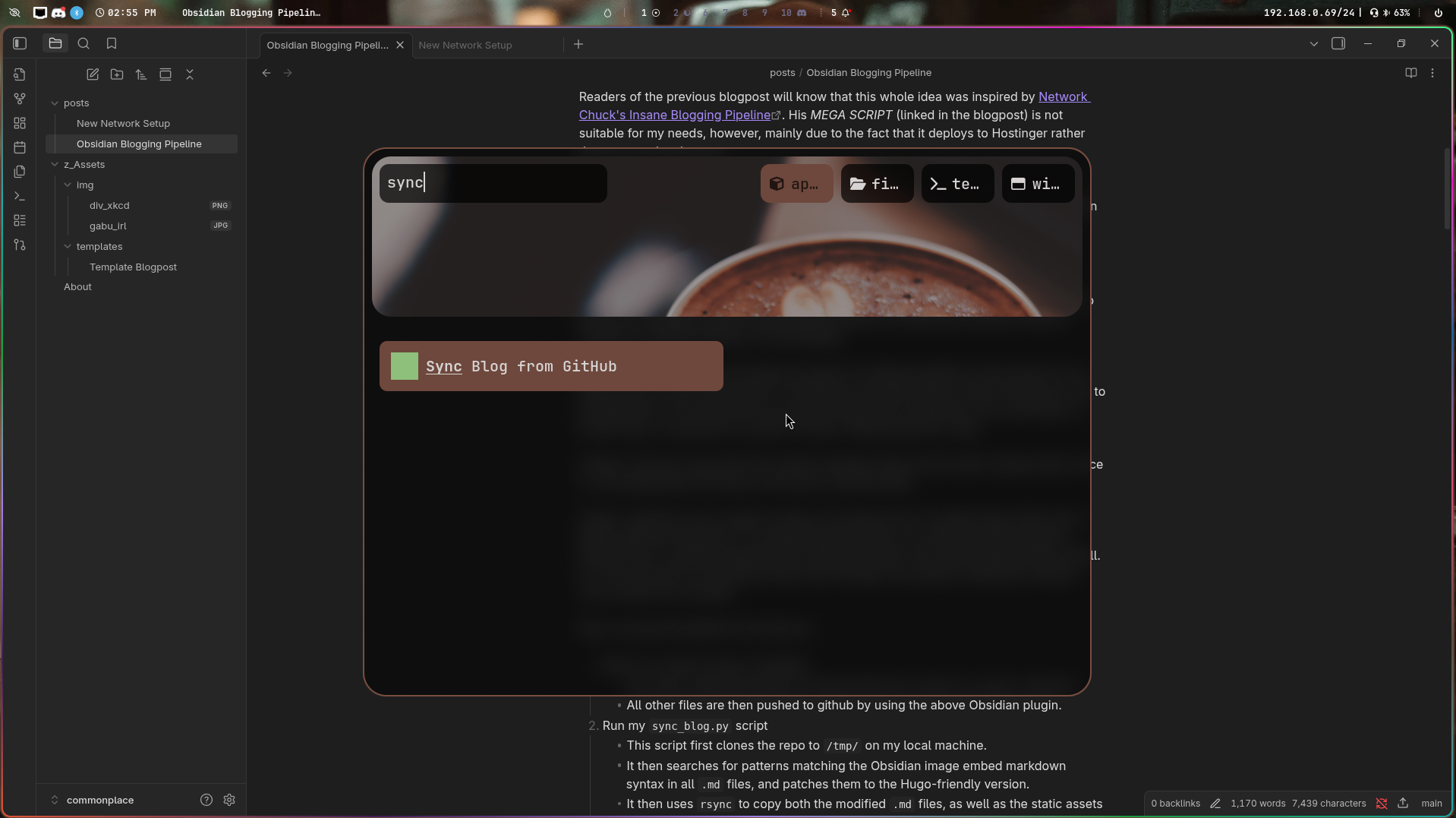
(I can even add a desktop entry using the site favicon as the icon to make it extra purdy)
Overall I’m pretty pleased with how this all works, and I’m looking forward to making more posts soon!