New Network Setup
The latest IT hyperfixation/rabbit-hole/obsession/project has been brushing up on my networking using Cisco Packet Tracer. I was lucky enough to have taken a few networking courses in high school, but it’s been a while, and I’ve forgotten a lot.
I started watching and labbing along with Network Chuck’s CCNA course videos, and began perusing the rest of his channel, when I got the itch to try out some of the stuff I was learning on real hardware.
Problem is, as always, being dirt-fucking-poor. (…and cheap).
The Plan#
But where there’s a will, there’s a way. The e-waste PC I’m currently using as my home server, hostname sigma (like the Greek letter, not the gen-alpha brainrot), isn’t super powerful but it’s served me well so far.
Currently, it’s running:
- Valheim Server
- Minecraft Server
- Foundry VTT Server
In addition to these services, I’ve been meaning to learn more about virtualization, and containerization with platforms like Docker. I’ve also been meaning to start my own self-hosted blog to document all of the random projects I tend to start but never finish, but trying to center a div vertically makes me want to bash my head into a wall.
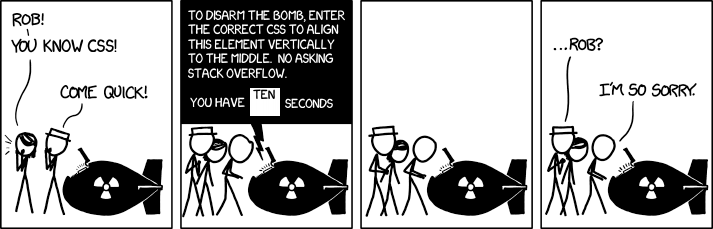
My ideal setup would need to be able to scratch all these itches for me at once. If only there were a complete open source platform for enterprise level virtualization…
…Enter Proxmox#
I admit, I’d already heard a lot about Proxmox. I’d always assumed, however, that the overhead of running a setup would be far too much for my meager server specs. It wasn’t until I saw Network Chuck’s video on the software, where he runs it on an old laptop, that I figured I’d give it a shot.
The Plan (Revised)#
Alright, so here’s the new plan:
- Copy all game server files from the current server to the storage partition of my Ventoy USB ✅
- Download Proxmox .iso and put it on the images partition of my Ventoy USB ✅
- Install Proxmox onto the server ✅
- We will need to verify that virtualization is allowed in BIOS on the server (Intel VT).
- Set up Tailscale so that the Proxmox web UI is only accessible from within the home network or VPN. ⌛
- We’re gonna delay this until we have at least one VM running in proxmox, so that we can more easily debug routing issues. (The VMs/LXCs still need to communicate on the native LAN, not over Tailscale).
- Install game servers
- Proxmox does not natively support running Docker containers, so we’ll have to look into spinning up Valheim, MC-Homestead, and Foundry VTT in LXCs (See here)
- Don’t forget to set up SSL certs for foundryVTT. I might want to hold off on this until I configure DuckDNS to point to my IP and place it on a subdomain (eg. foundryvtt.gabu.duckdns.org). Until that point, foundry should not touch the internet, or we’ll start leaking player/GM passwords in plaintext.
- Set up blogging pipeline ✅
- This was the real clincher on this project for me. After seeing Network Chuck’s video on blogging with Obsidian, Hugo, and git, I knew I had to do it myself.
So… did it work?#
At the time of writing this, I’m not sure. I hope this will be an easy weekend project, as that seems to be all the attention span I have for stuff these days. If you’re seeing this, I at least got virtualization and the blogging side of things set up.
I’m concerned about the power of the “server”, and may have to do some upgrading when it’s financially viable. It currently only has 8GB of DDR3 ram, but still has some open DIMMs. The 128GB sata SSD should be enough for what I’m running, but we may need to upgrade that too down the road.
Whenever I get around to upgrading my desktop PC I may look into recycling it’s motherboard/CPU into Sigma-serverV2, though those parts may instead go towards building M a gaming PC of their own. Depends if we end up moving to a place larger than a broom closet. And that pesky bank account balance.
Dirt-fucking-poor, remember?
Anyways, should be a good way to kill some time. And drink some coffee.